cmux - manage 10 Claude Code agents from one terminal
Terminal workspace manager for Claude Code. Named workspaces, orchestrator pattern, session mapping. 3 commands to manage everything.
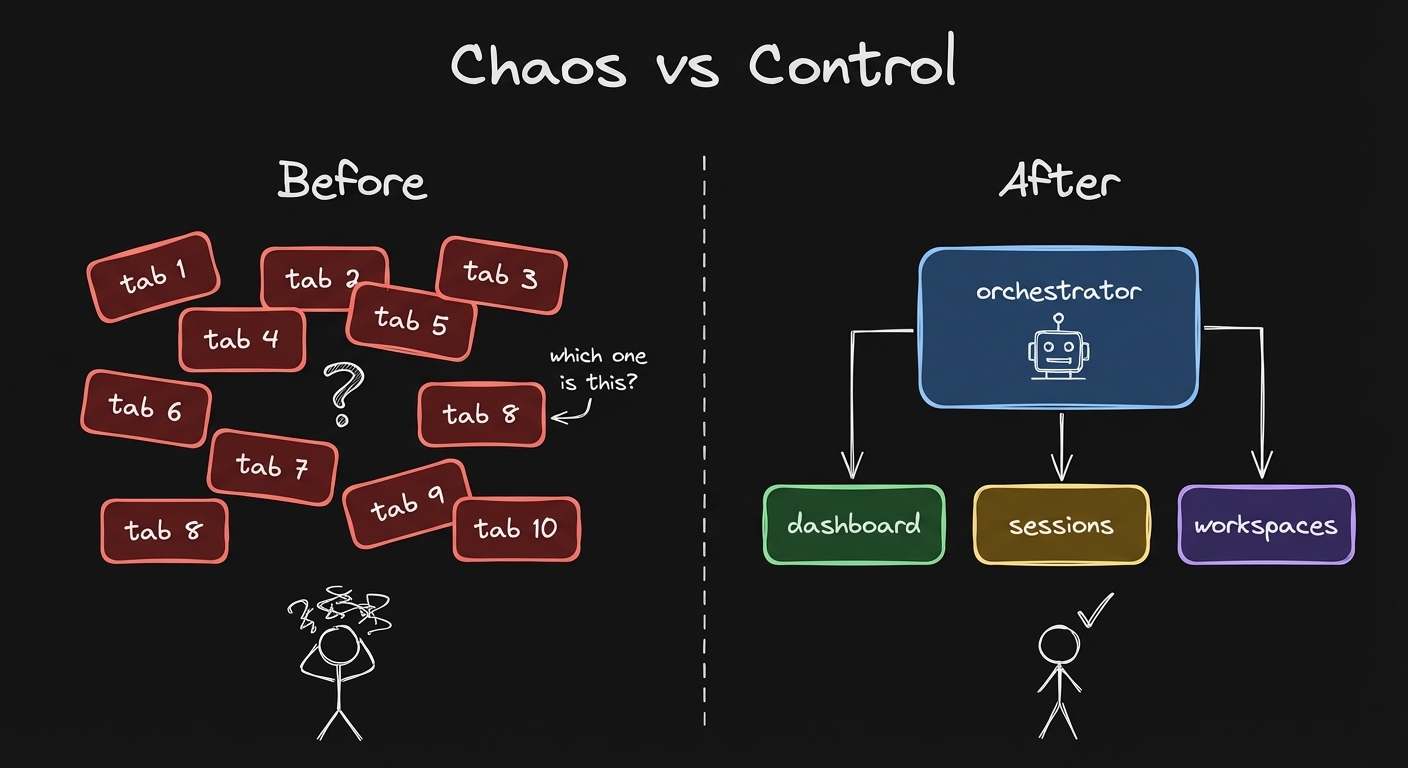
How it works
Named Workspaces
Every workspace has a name. "video-edit", "research", "blog-draft" - not "tab 4".
cmux list-workspaces
Spawn a new named workspace with one command:
bash spawn-workspace.sh "research" \
  --prompt "Research top Claude Code features"
The Orchestrator Pattern
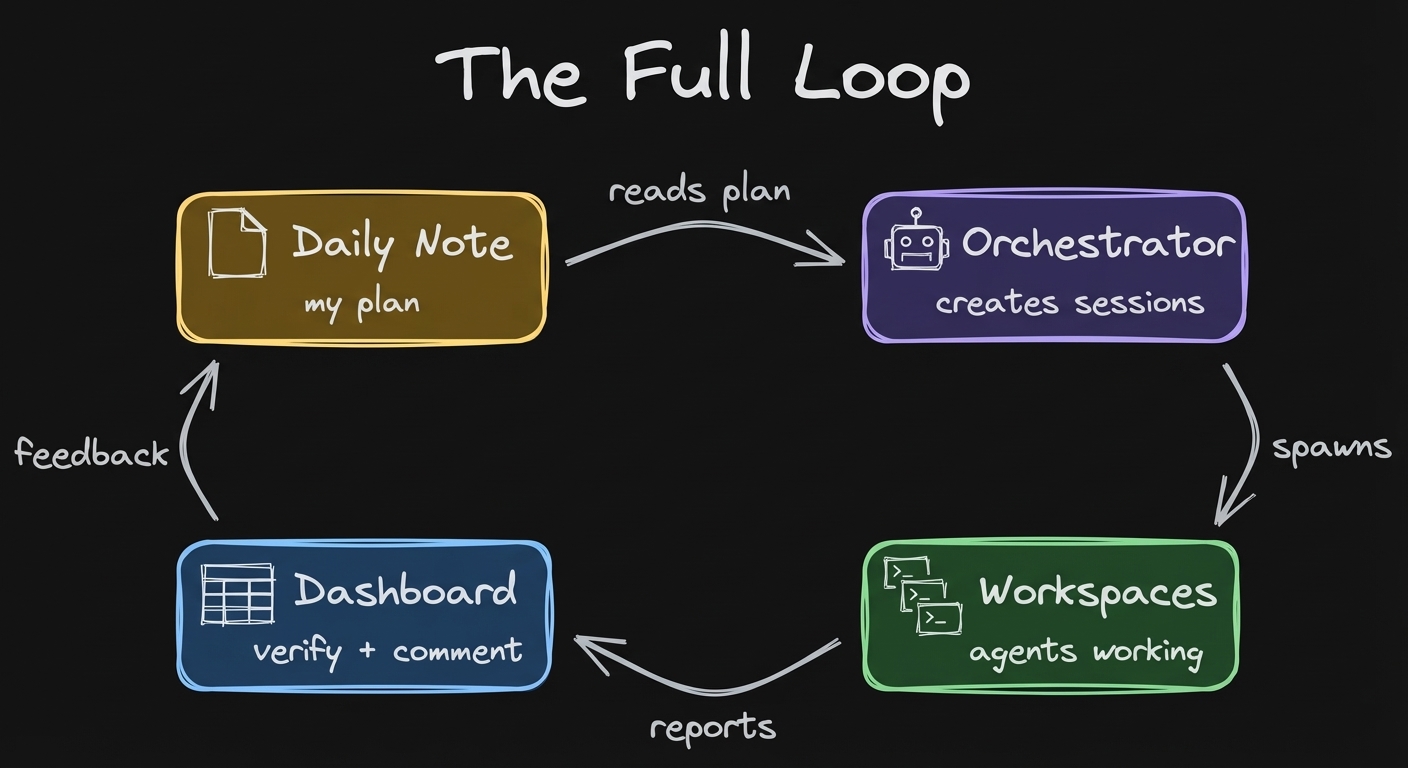
One Claude Code agent becomes the orchestrator. It spawns and controls the others.
The orchestrator can read any agent's screen, send instructions, and wrap up sessions. You talk to one agent. That agent manages the rest.
Surfaces - Tabs Inside Workspaces
Each workspace can have multiple surfaces (tabs). Run 3 automations in one workspace - each on its own surface.
cmux list-pane-surfaces --workspace workspace:N
Move surfaces between workspaces, reorder, rename.
Session Mapping
Every Claude Code session maps to a cmux surface. A hook (cmux-session-map.py) tracks which session is in which workspace.
Resume any session by ID. The workspace is ephemeral - the session file is the persistent record.
Automations
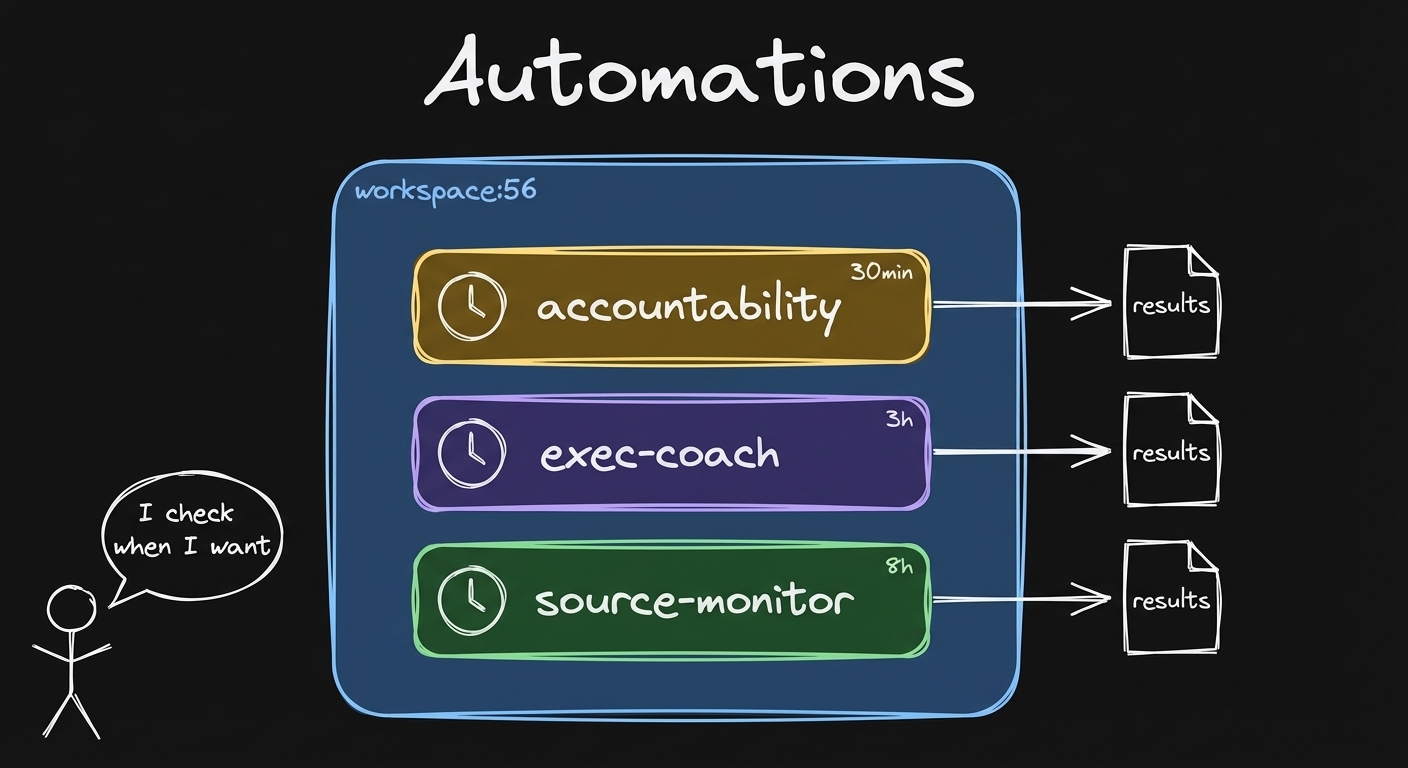
Scheduled agents running on cron inside cmux surfaces:
Accountability check - every 30 min, reads your day plan, calls you out if you're off track.
Source monitor - every 8h, scans Reddit + YouTube for relevant content.
Executive coach - every 3h, pattern interrupts with reflection prompts.
You'll also get the newsletter. Unsubscribe anytime.
Next cohort starting
Claude Code x Obsidian Lab
6 weeks. Build your agent system from scratch. Skills, automations, orchestrator - the full stack.